Your Lecture Notes Can Now Become an Interactive Website. No Coding Required.
Google's Gemini Notebook can turn your notes and PDFs into interactive study websites. Learn how to build one, check accuracy and what's free in India.
Ali Mehdi Hemani, Lead Trainer 10 min read
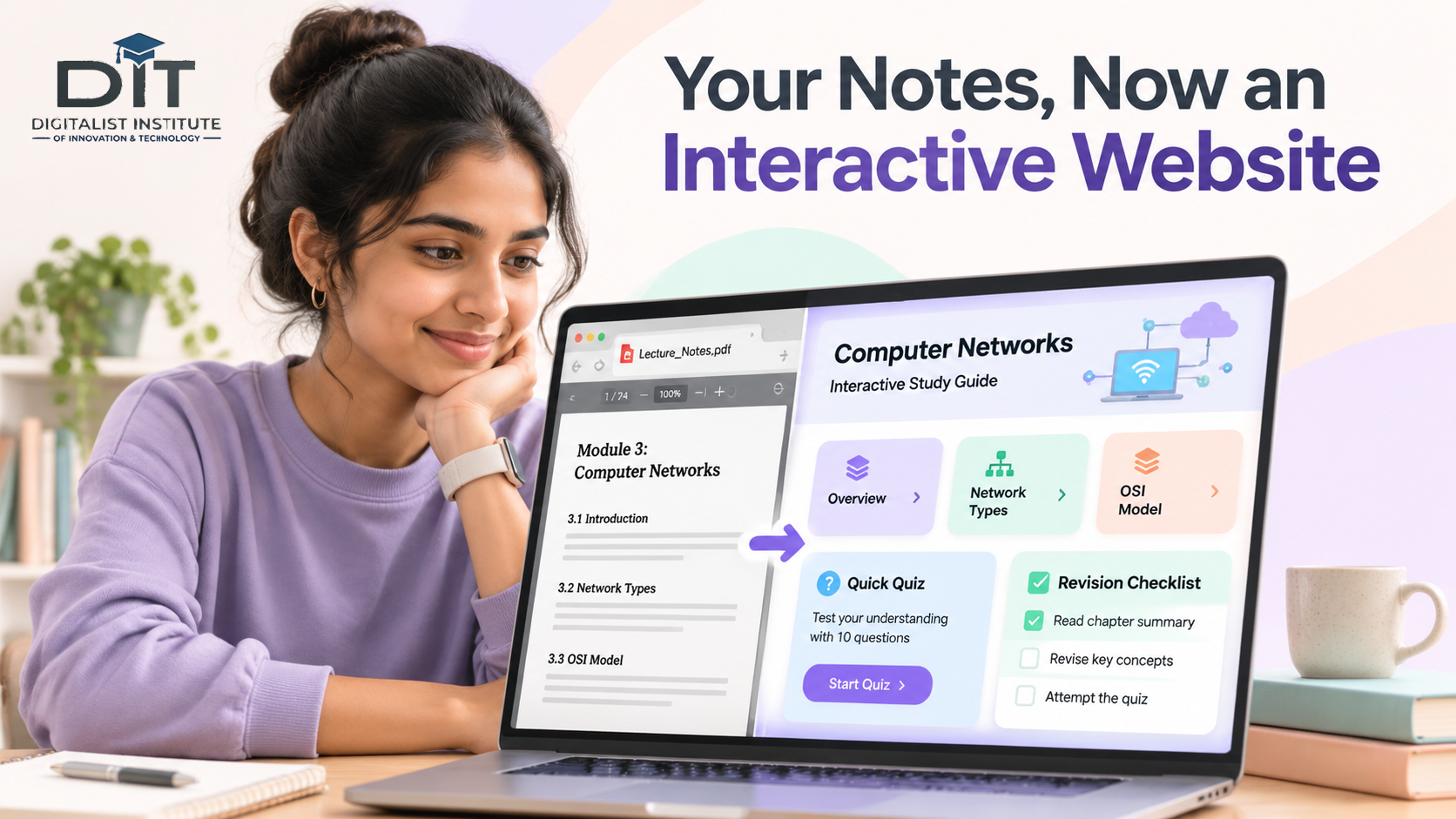
Most students don't need another AI chatbot. They need a better way to understand the hundreds of pages of notes sitting on their laptops.
Imagine uploading your lecture notes, a textbook chapter or a research document and asking AI to turn them into an interactive website. Instead of scrolling through a PDF, you could explore different topics, interact with visual explanations, revise important concepts and test your understanding.
This is no longer just an idea.
Google has introduced a new capability in Gemini Notebook that can transform your uploaded sources into interactive websites. And the interesting part? You don't need to know how to code.
Let's understand what has changed and how you can use it.
1. What exactly has Google introduced?
On 18 November 2026, Google Workspace Updates announced the rollout of interactive website generation in Gemini Notebook. Google's original announcement was published on 16 November.
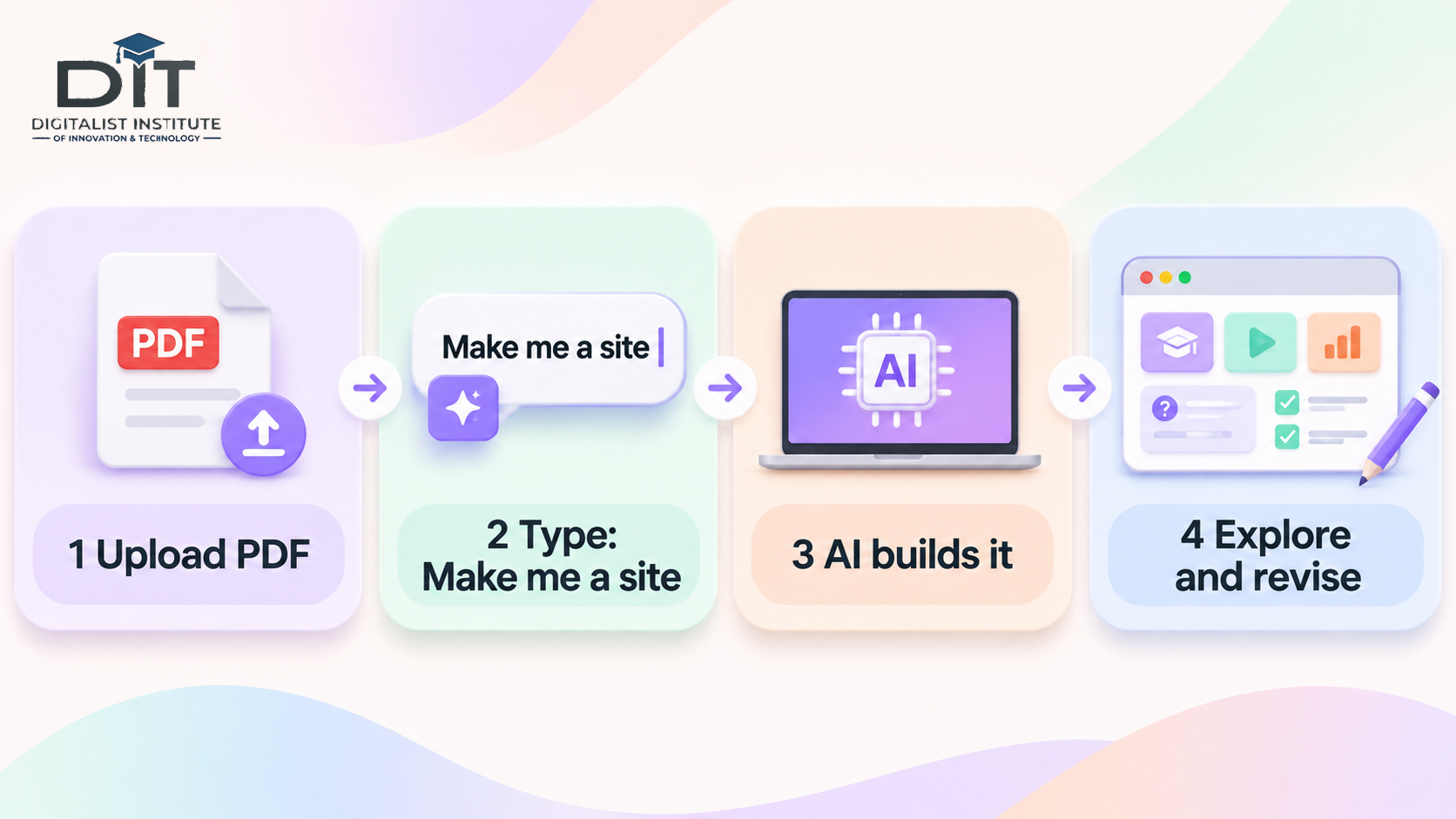
The concept is remarkably simple. You upload your sources into a notebook, describe the website you want, and Gemini Notebook generates an interactive experience based on those materials.
Google gives several examples of what people can build:
- Interactive visual explainers: an interactive periodic table or a historical timeline that helps you understand a complicated topic.
- Data dashboards: turn business information into an interactive dashboard.
- Project trackers: a workspace that helps you manage deadlines and tasks.
Once the website is generated, you can open it in a new browser tab, interact with it and share it with others.
The important distinction is that you are not simply asking AI to write an article or summarise a document. You are asking it to create an interactive interface around the information. That's a meaningful change in how we use AI.
2. Why this matters for Indian students
Think about the average university student in India. They have PDFs from professors, PowerPoint presentations, handwritten notes, textbooks and sometimes hundreds of pages of examination material.
Most students approach this material in the same way:
- Read the PDF.
- Highlight important points.
- Make handwritten notes.
- Search YouTube for difficult concepts.
- Attempt practice questions before the examination.
Now imagine combining several of these activities into one interactive learning experience.
For example, a chemistry student could upload their electrochemistry notes and request a revision website organised around electrochemical cells, electrode potentials, the Nernst equation and applications of electrochemistry.
A history student could upload notes about the Indian independence movement and request an interactive historical timeline.
A business student could upload marketing lecture notes and request a visual explanation of marketing funnels, customer journeys and important definitions.
These are proposed demonstrations of the capability, not claims that these specific outputs were independently tested.
The bigger lesson is that AI is increasingly becoming a tool for interacting with information, not just generating answers.
3. How to build your first interactive website
You don't need programming knowledge, a coding environment or a separate hosting account to try this feature.
Step 1: Open Gemini Notebook. Visit https://notebook.google.com/ and sign in with your Google account.
Step 2: Upload your material. Create a notebook and upload the relevant PDF, lecture notes or other supporting material. For your first attempt, choose one chapter rather than an entire textbook. This makes it easier to check whether the generated website accurately represents the material.
Step 3: Open the Chat panel. Describe the website you want to create. The important instruction is: "Make me a site." Then explain what the site should contain.
Step 4: Give it a detailed description. A prompt worth trying:
Make me a site using only the sources in this notebook.

Create an interactive learning website for a university student.

Include:
- A summary of the chapter.
- Clickable sections for each major topic.
- Visual explanations of difficult concepts.
- An important terminology glossary.
- Ten interactive practice questions.
- A revision checklist.
- A section showing the most important concepts.

Use simple English and an attractive, easy-to-navigate layout.

Do not invent facts or introduce unsupported information. Clearly identify anything that is missing from my uploaded sources.
Step 5: Open and explore your website. Once Gemini Notebook finishes generating the site, open it in a new tab. Explore its sections, try the interactive controls and see whether the content actually helps you understand your subject.
4. Don't just look at the design. Check the accuracy.
A beautiful website does not automatically mean that the information is correct. AI can misunderstand a paragraph, simplify a concept incorrectly or introduce an explanation that isn't present in the original material.
Here is how to check your output:
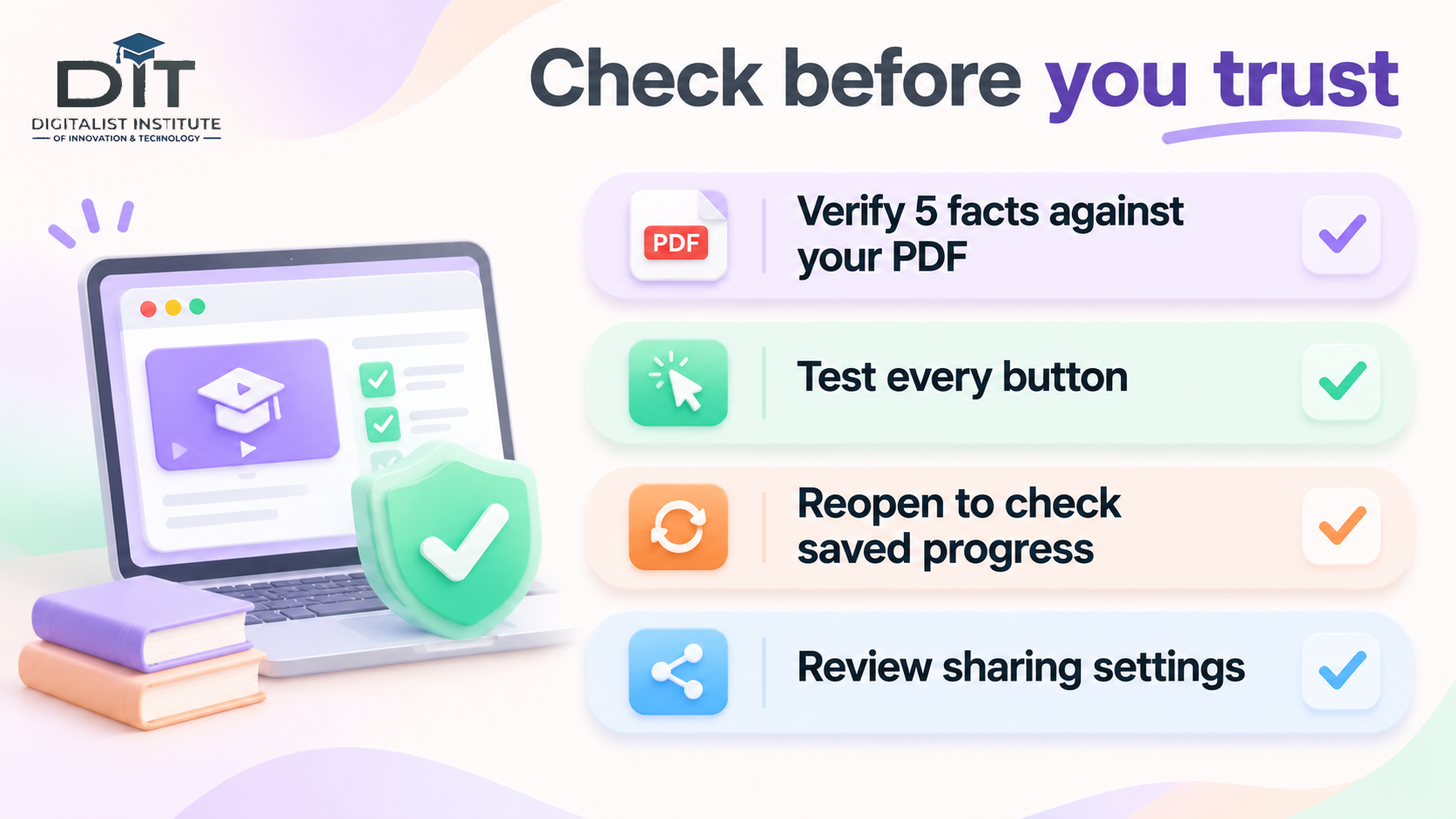
- Verify the information. Pick five important statements from the website and compare them against the original PDF.
- Test the interactive elements. Click the different sections, try the questions and check whether the buttons and controls actually work.
- Check whether your progress is retained. Google's help documentation explains that site inputs and selections can be saved and reopened. Test this yourself before depending on it for exam preparation.
- Check the sharing permissions. Sharing an interactive site is not the same as publishing an independent public website. Google requires viewers to have access to the full notebook, and public sharing has additional account and ownership requirements.
Use AI to improve your learning, not to replace your textbook or professor.
5. Is this actually free in India?
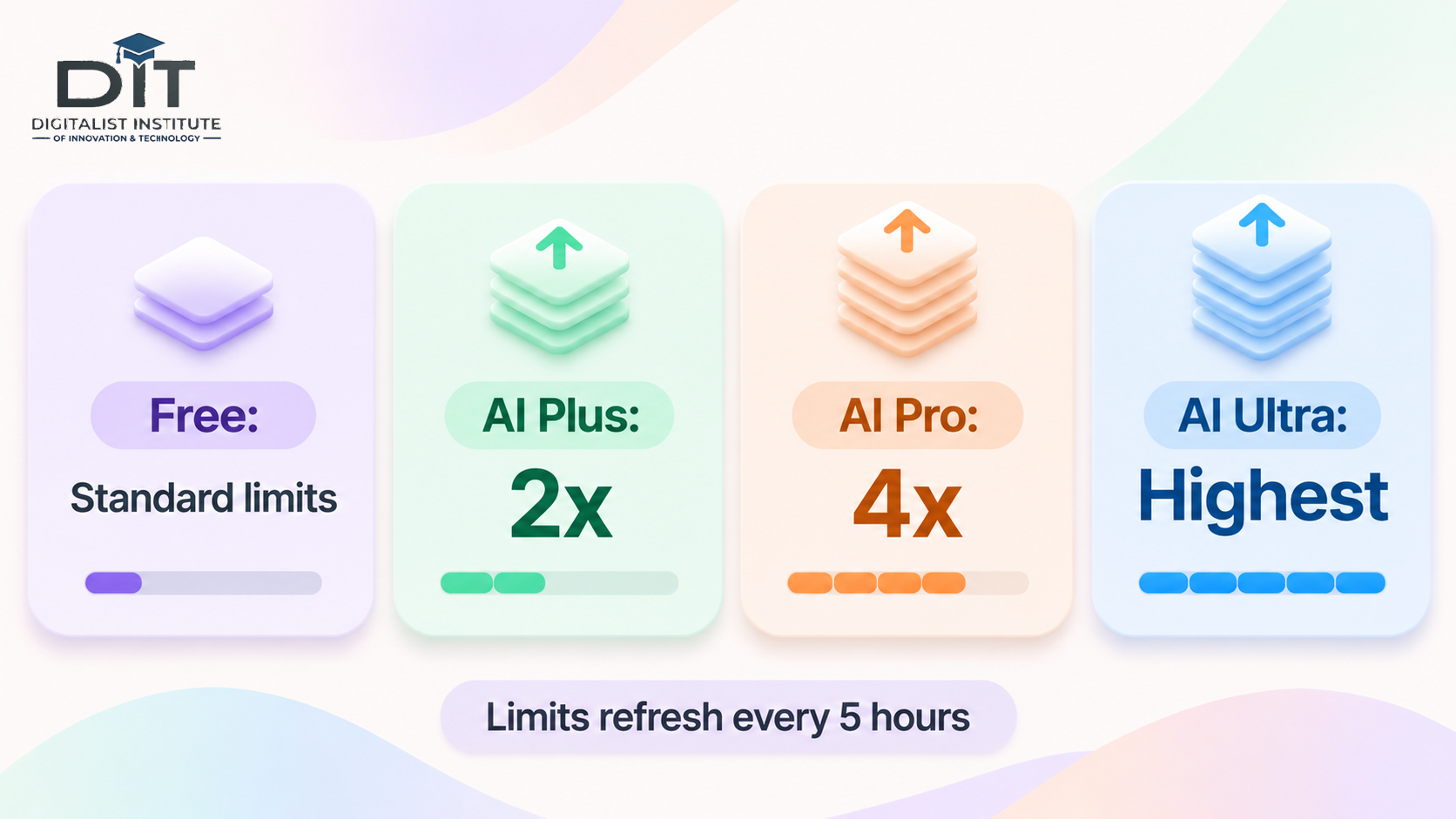
Google does not list a paid subscription as a prerequisite for Gemini Notebook's standard usage. Its official usage documentation lists these levels:
| Plan | Usage allowance | |---|---| | Without a paid plan | Standard limits | | Google AI Plus | 2x standard limits | | Google AI Pro | 4x standard limits | | Google AI Ultra | 5x or 20x AI Pro limits, depending on subscription |
The system uses compute-based limits. How much you can generate depends on prompt complexity, model usage and the features you select. Quotas refresh every five hours until the weekly limit is reached. Google does not publish a fixed number of websites every free user can generate.
Other limitations worth knowing:
- You must be at least 18 years old.
- Website generation is rolling out globally on the web.
- Mobile support for website generation is still forthcoming.
- The rollout is gradual, so the feature might not appear immediately on every account.
- Paid plans give higher limits, not unlimited generation.
For Indian users, the global web rollout means no separate India-only subscription requirement has been announced for this feature.
6. An additional opportunity: one year of Google AI Plus free for eligible Indian students
Google is offering eligible university students in India a one-year Google AI Plus student plan at no cost. The official offer includes:
- Twice the standard AI usage limits.
- 400 GB of cloud storage.
- Access to Gemini Omni.
- Unlimited uploads for Study Notebooks, Visuals and Live under the student offer.
You must be an eligible university student aged 18 or above, and your student status must be verified. The offer can be redeemed until 31 December 2026.
Read the payment conditions carefully. Google requires a valid payment method at sign-up, and unless you cancel before the trial ends, the membership renews at ₹399 per month.
Check the offer here: https://gemini.google/in/students/?hl=en-IN
7. What about the ChatGPT Plus free-month offer?
Some Indian users have been discussing a free month of ChatGPT Plus. There is some truth behind the reports, but it needs to be understood correctly.
Cashify reported on 4 November 2026 that selected Indian accounts were seeing an offer to access ChatGPT Plus for the first month at ₹0 instead of the usual reported ₹1,999 monthly price. The offer was not visible to everyone.
OpenAI's promotional subscription FAQ explains that free trials and promotional subscriptions can be restricted to specific accounts, regions and campaigns. Eligible users may receive offers by email or inside ChatGPT.
What should you do?
- Sign in to your ChatGPT account.
- Open the subscription or upgrade page.
- Check whether a free offer is explicitly displayed.
- Read the renewal price and billing date before accepting.
- Do not assume that another person's free trial is available to your account.
Also remember that the old ChatGPT Go free-year promotion is no longer open to new claims. OpenAI's India support information lists ₹399 per month as the standard Go renewal price.
8. Two more AI developments worth watching this week
Claude can now turn artifacts into desktop apps. On 24 November, Anthropic announced that Claude artifacts can be installed as applications on Mac and Windows. You ask Claude to create a tool, preview it and select Install as app. The installed artifact gets its own icon and window, and it can use connectors and, with permission, certain operating-system capabilities. The beta is rolling out across Claude plans, including Free. Requests still count towards your plan's usage limits. You need Claude Desktop for Mac or Windows, an internet connection and an active Claude account, and some artifact types cannot be installed. Be careful with permissions that let an app read, change or delete files.
On Reddit, some technically experienced users see this as a more accessible way of packaging existing web-based artifacts rather than a new category of software. Others see the accessibility for non-coders as the real improvement.
ChatGPT gets GPT-6.2. On 23 November, OpenAI announced the rollout of GPT-6.2 to Plus, Pro, Business and Enterprise users. OpenAI says the model improves complex instruction-following, image understanding and online research compared with GPT-6. Those are company-run evaluations, not independent benchmarks, and the update is not available to Free users.
For someone who wants to learn without paying for another subscription, Gemini Notebook is the more accessible starting point.
9. My recommendation: try this before the end of the week
Give yourself 30 minutes for one experiment. Find a chapter you have been struggling with, upload your notes into Gemini Notebook and ask it to create an interactive learning website.
Start with one chapter. Explore the result. Compare it against your original material. Improve the prompt if necessary.
If you are an educator, try creating a resource for your students. If you are a working professional, turn your training documents into an interactive reference guide. If you are a freelancer, use the same idea to organise research and present information to clients.
The biggest opportunity is not that AI can generate more content. It is that ordinary people can turn information into useful experiences without learning programming. That's a skill worth developing.
Start experimenting. Don't just watch the technology develop.
Sources
- Google Workspace Updates, 18 November 2026: Gemini Notebook interactive sites. https://workspaceupdates.googleblog.com/2026/11/transform-your-notes-and-research-into-dynamic-tools-with-Gemini-Notebook.html
- Google Blog, 16 November 2026: Transform notes and research into interactive sites. https://blog.google/innovation-and-ai/products/gemini-notebook/interactive-sites/
- Gemini Notebook Help: Generate sites. https://support.google.com/gemininotebook/answer/18945748?hl=en
- Gemini Notebook Help: Usage limits. https://support.google.com/gemininotebook/answer/17670842?hl=en
- Google Gemini Student Offer, India. https://gemini.google/in/students/?hl=en-IN
- OpenAI ChatGPT Release Notes (GPT-6.2, 23 November 2026). https://help.openai.com/en/articles/6825453-chatgpt-release-notes
- Anthropic: Turn artifacts into Mac and Windows apps, 24 November 2026. https://claude.com/resources/articles/install-as-app
- Cashify: ChatGPT Plus free for one month in India, 4 November 2026. https://www.cashify.in/news/chatgpt-plus-free-for-one-month-in-india
- OpenAI Promotional Subscriptions and Free Trial FAQ. https://help.openai.com/en/articles/8381046-chatgpt-promotional-subscriptionsfree-trial-invites-faq
- Reddit r/notebooklm discussion, 24 November 2026. https://www.reddit.com/r/notebooklm/comments/1xzhhlj/gemini_notebook_can_now_build_interactive_study/
- Reddit r/ClaudeAI discussion, 25 November 2026. https://www.reddit.com/r/ClaudeAI/comments/1y4s3m3/claudes_new_feature_lets_users_turn_aigenerated/
- Android Authority, 16 November 2026. https://www.androidauthority.com/gemini-notebook-research-interactive-sites-3735782/