Superframes: A Free AI Video Editor for Reels, Shorts and Content Creation
Edit videos with plain-English prompts, add Hindi captions and turn long recordings into Shorts. Try Superframes free with one export.
Ali Mehdi Hemani, Lead Trainer 12 min read
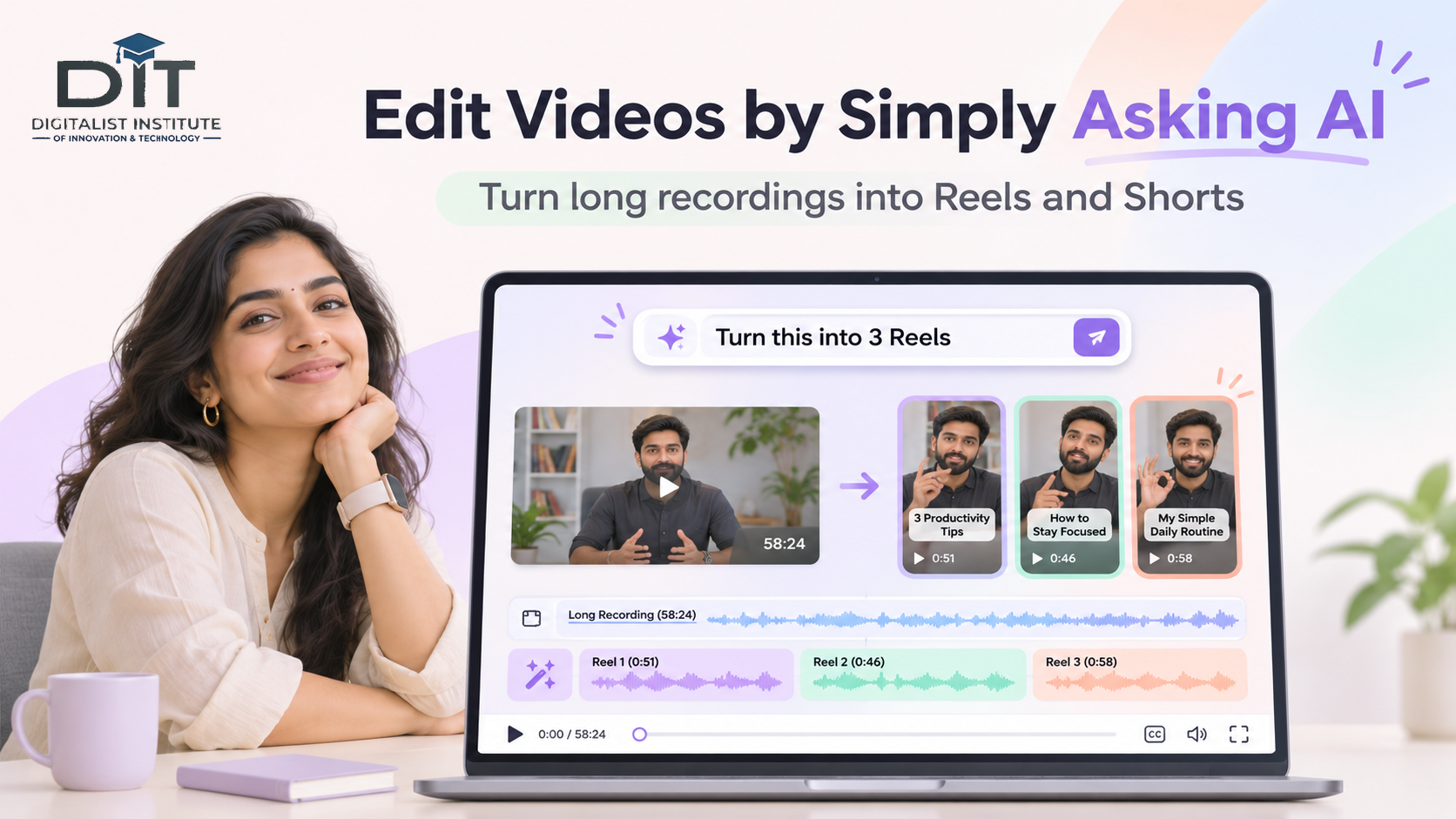
Imagine recording a 40-minute lecture, webinar, podcast or business presentation, then turning it into Instagram Reels, YouTube Shorts and WhatsApp videos.
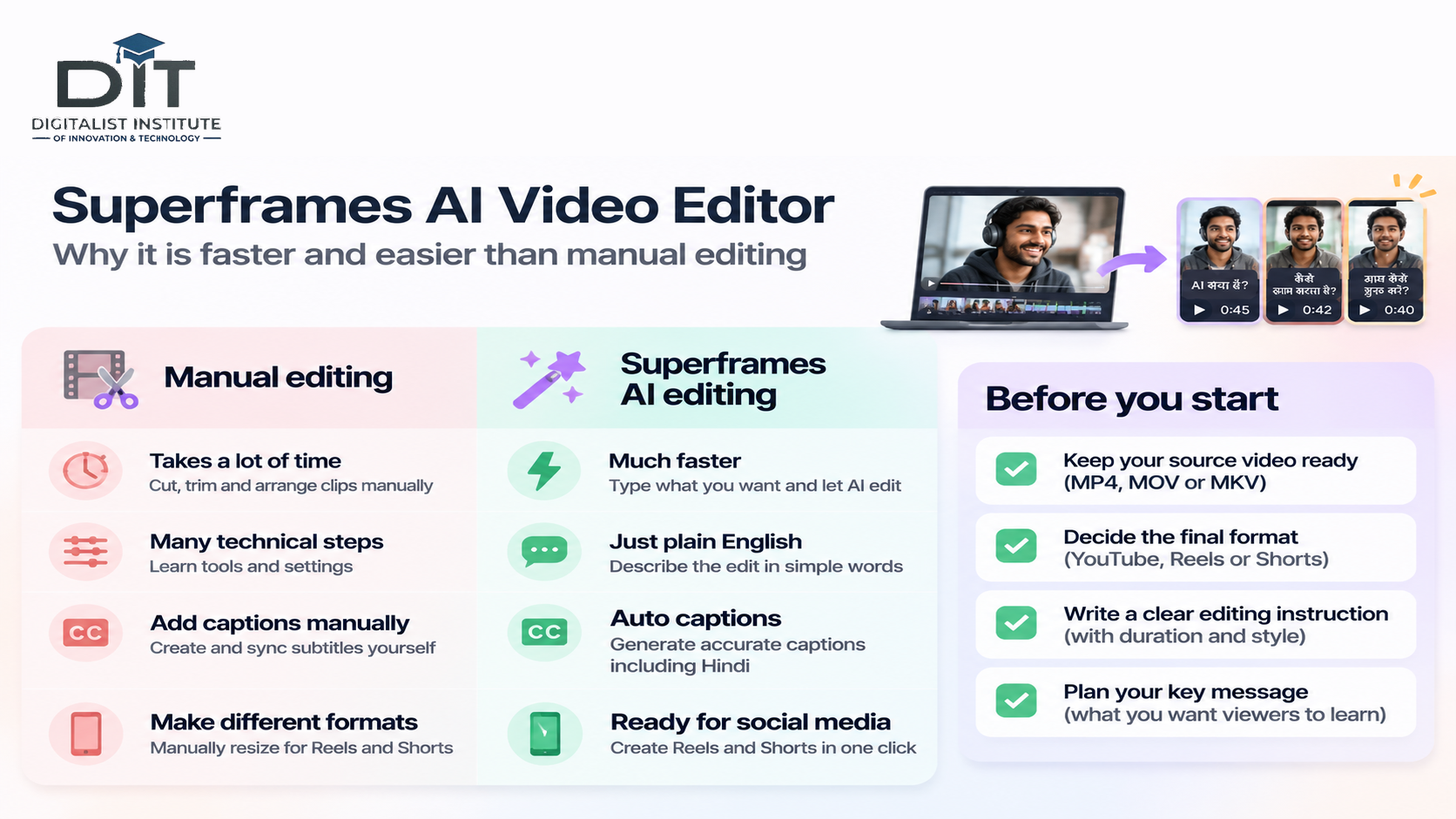
Traditionally, that means importing the footage, finding the important moments, cutting unnecessary sections, adding captions, adjusting the aspect ratio, improving the audio and exporting everything. It takes time.
But what if you could simply tell an AI tool what you want?
For example:
"Take this 30-minute recording, find the five most interesting moments, turn them into vertical videos, add captions and remove unnecessary pauses."
That is the idea behind Superframes, an AI-powered video editing platform attracting attention after its latest Product Hunt launch. Its new AI Director can work across a complete video timeline, while its Clipper helps convert longer recordings into shorter social media videos.
The interesting part? You can try its editing functionality for free.
What Is Superframes? Understanding the AI Video Editor
Superframes is an AI video editing platform that lets users edit videos in everyday language, instead of navigating dozens of editing menus.
For example:
- "Remove the unnecessary silence."
- "Convert this video into a vertical 9:16 format."
- "Add subtitles to this recording."
- "Reduce the background noise."
Superframes translates these instructions into editing operations and executes them on your device.
The platform offers a browser-based editor and desktop applications for Mac and Windows.
Its new release introduces three particularly interesting capabilities.
1. AI Chat Editor
This is designed for individual editing tasks. You can upload a video and describe the change you want, such as cropping a landscape presentation into a 9:16 Instagram Reel, or requesting captions, trimming, speed adjustments and audio improvements.
2. AI Director
This is arguably the most interesting feature. The AI Director works with a complete video timeline, so you can provide an overall editing brief instead of requesting one change at a time.
For example: "Create a 45-second promotional video from this recording. Keep the most interesting moments, remove unnecessary pauses, add captions, improve the colours and place suitable background music."
The Director plans the editing process, applies the changes and presents a list of what it has modified. You can preview the result and undo individual operations if you do not like them.
3. AI Clipper
The Clipper is particularly useful for content creators. If you have a 40-minute podcast or an hour-long educational session, you can ask it to find suitable sections and turn them into shorter vertical videos, then review and export the collection of Shorts.
That makes Superframes interesting for people who publish content regularly but do not have time to edit every video manually.
Why Is Superframes Trending in November 2026?
The latest Superframes release appeared on Product Hunt on 26 November 2026. It introduced the AI Director, Clipper and additional video-generation capabilities.
According to the Product Hunt launch tracker, it received 74 upvotes and five comments, placing it at number 20 on the day's leaderboard. That makes it a notable new launch, although it is still an early-stage product rather than an established industry leader.
The timing matters because students, teachers, small businesses and freelancers are publishing more video, but not everybody has the time or skill to learn professional editing software. Tools that let people describe an edit, instead of doing every step manually, could make video production more accessible.
What Can You Actually Do With Superframes?
| Feature | What it does | | ------------------ | ----------------------------------------------- | | AI editing | Converts instructions into editing operations | | Automatic captions | Creates word-timed subtitles | | Smart cropping | Converts landscape footage into vertical videos | | Audio cleanup | Helps reduce background noise | | AI Director | Plans and edits a complete timeline | | AI Clipper | Finds sections suitable for Shorts | | Colour grading | Applies different visual looks | | Face blur | Helps obscure faces in footage | | Speed adjustment | Changes video playback speed | | Compression | Reduces file sizes |
The official website describes support for 19 caption languages, including Hindi, with transcription on the user's device using Whisper. That is useful for Indian creators, and the tool also supports different aspect ratios and export formats for social media platforms.
Is Superframes a Free AI Video Editor?
This is an important question if you are looking for AI tools that do not require an expensive subscription.
Yes, Superframes offers a meaningful free editing option, according to its official pricing details.
Free editing
- Access to the editing tools and video previews.
- The first completed video export is described as free, with no watermark.
- Superframes also states that no account or credit card is required for that first export.
AI media generation (paid credits)
- Generate new images.
- Generate video clips.
- Generate voiceovers.
- Generate music and sound effects.
The platform shows the credit cost before you approve a generation.
Unlimited exports (paid plan)
Additional exports beyond the first one require a paid plan, so Superframes does not offer unlimited free exports. The free offering is meant to let you try the editing tools and export your first completed video before deciding whether a subscription is worthwhile. Check the official pricing page before you rely on that offer, because plan rules can change.
How to Try Superframes: Step-by-Step Guide
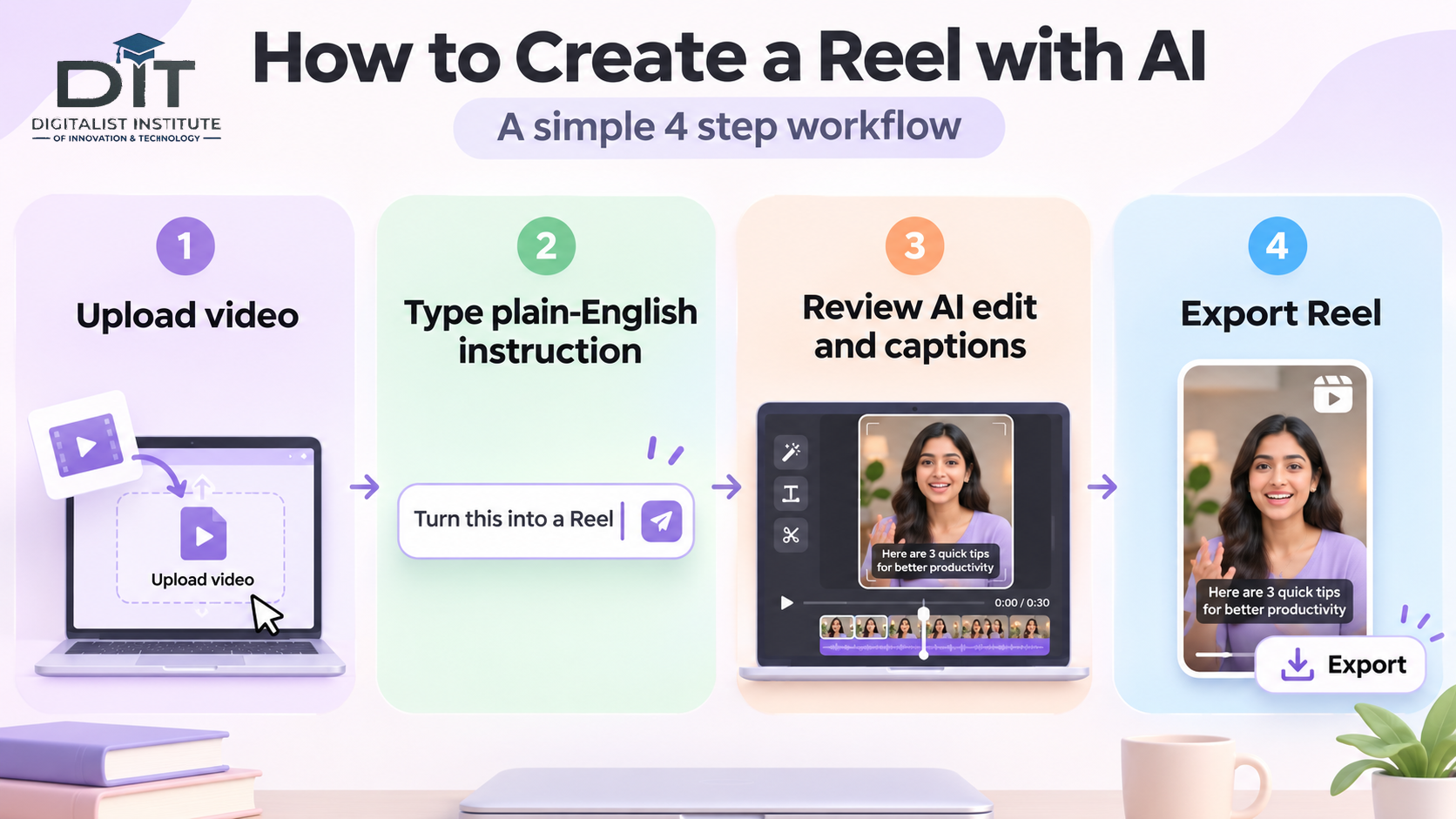
Step 1: Open the website
Visit https://www.superframes.io/ and open the video editor in the browser, or download the desktop application for Mac or Windows. For longer recordings, a computer is recommended.
Step 2: Add a video
Choose a video from your device, such as a classroom recording, webinar, podcast, product demonstration or a clip you want to publish on Instagram. The platform supports common formats including MP4, MOV, WebM and MKV.
Step 3: Give the AI an instruction
Instead of manually selecting every editing option, type what you want. Here is a suggested prompt:
"Convert this video into a professional vertical Instagram Reel. Remove unnecessary pauses, keep the speaker centred, add automatic Hindi captions, improve the audio and apply a clean colour grade. Keep the original meaning."
Step 4: Let the AI Director plan the edit
If you are editing an entire video, try the AI Director and give it a complete brief rather than asking for individual changes. It can prepare a plan, edit the timeline and show you what it changed. Review the plan and make sure it matches your requirements.
Step 5: Preview and make corrections
Do not immediately publish the result. Watch the complete video and check whether the captions are accurate, the speaker is properly positioned, important sentences remain, the audio is clear, and the video suits the platform. You can undo individual changes if required.
Step 6: Export your video
Once you are happy with the result, export it.
According to Superframes' pricing details, your first completed export is free and does not contain a watermark.
Three Practical Ways Indians Can Use Superframes
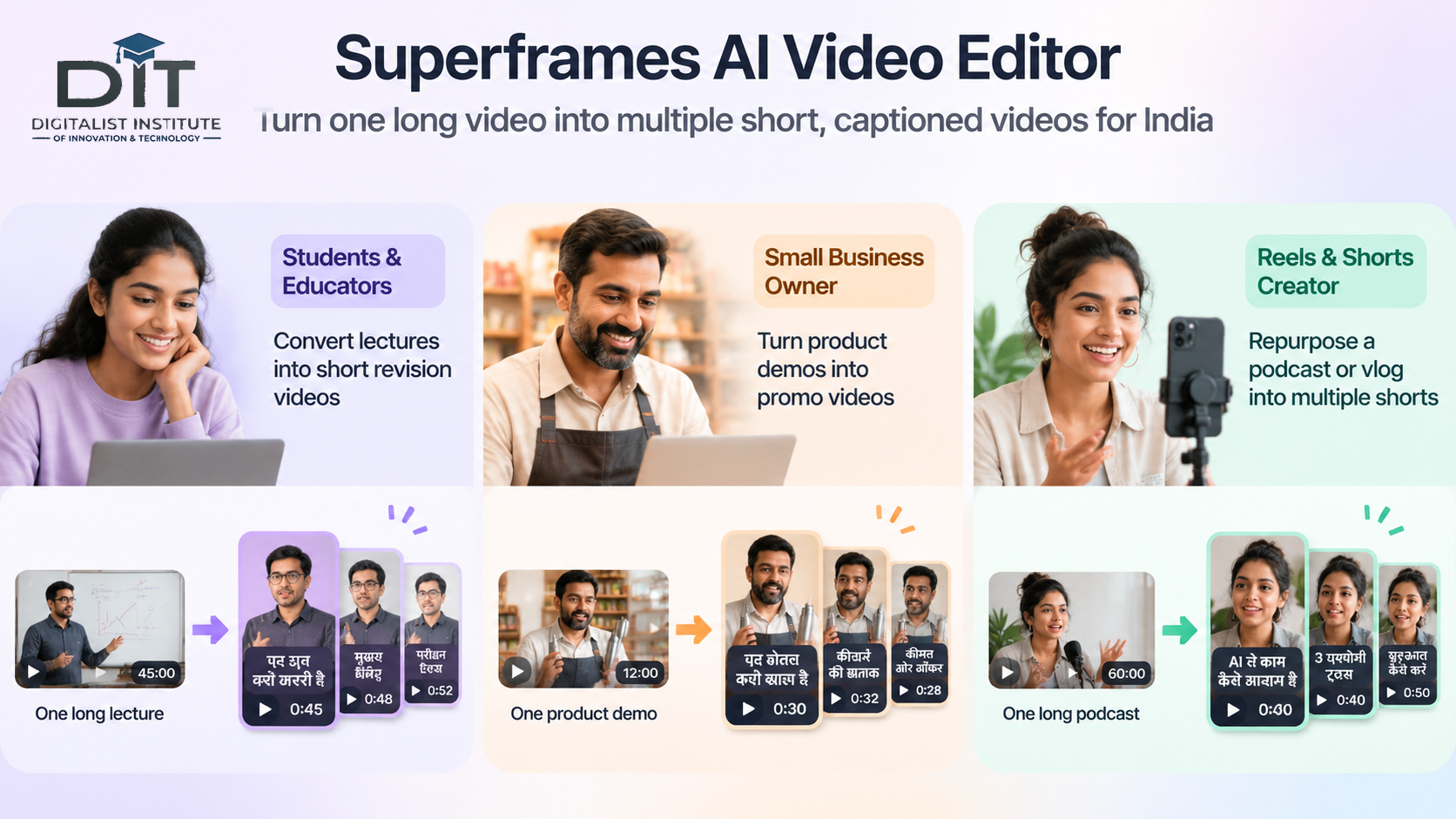
1. Students and educators: Convert lectures into revision videos
Imagine a teacher recording a 45-minute lecture on chemistry, mathematics, economics or artificial intelligence. Students may not have time to watch the complete lecture again when preparing for examinations.
A teacher could use the Clipper to prepare shorter revision videos, such as one explaining a formula, one covering a difficult concept, and one summarising the topic. Captions help students follow along, including when watching without sound, and educators can reuse existing teaching material instead of recording everything from scratch.
2. Small businesses: Create product marketing videos
Consider a small business in Mumbai selling clothing, electronics, food or educational services. The owner records a simple product demonstration on a smartphone, which may include pauses, background noise and irrelevant footage. Instead of hiring a video editor for every promotional video, the owner could use an AI editing workflow.
A suggested prompt:
"Create a 30-second product promotional video. Remove unnecessary pauses, focus on the product, add captions, improve the voice quality and convert the video into a vertical Instagram format."
The business owner can then review the result before publishing. This could be useful for local retailers, home businesses, freelancers and service providers.
3. Instagram and YouTube creators: Repurpose long videos
Creators frequently produce one long video and then struggle to create enough short-form content from it. A 60-minute podcast, for example, could yield Instagram Reels, YouTube Shorts, educational clips, LinkedIn videos or WhatsApp status videos, all built from one original recording.
A suggested DIT demonstration
Here is a suggested demonstration for educators and AI trainers. Take a 10-minute educational recording and ask Superframes to:
- Identify three useful sections.
- Convert each section into a vertical video.
- Add Hindi captions.
- Remove unnecessary pauses.
- Improve audio clarity.
- Prepare the videos for Reels and Shorts.
This is a proposed demonstration, not a claim that every requested edit will be completed in one step.
Does Superframes Upload Your Videos? Understanding Privacy
According to its documentation, video editing and processing happen locally on your device using technologies including FFmpeg and WebAssembly. Your complete video and audio files are not uploaded to its servers for ordinary editing.
However, there is an important distinction. When you use the AI Director, information used to plan edits can be sent to its AI providers. This includes your instructions, clip information, transcripts, audio levels and, when enabled, a selection of low-resolution video frames. When you use the media-generation feature, the relevant prompt, text or selected frame is sent to the generation provider.
So although the original video files stay on your device, not every piece of information involved in AI-assisted editing necessarily stays local. If you are editing confidential business recordings, client footage or private classroom videos, review the privacy settings first. You can also turn off the option that lets the Director see selected frames.
Limitations of Superframes You Should Know
No AI tool is perfect. Before making it part of your regular workflow, consider these limitations.
1. The free export is limited
You get one free completed export, according to Superframes' pricing details. If you regularly publish videos, you may eventually need a paid plan.
2. Large videos require more resources
Browser-based editing depends on available memory, and very long recordings or 4K videos may exceed the browser's practical limits. For demanding projects, the desktop application is a better option.
3. Mobile editing has limitations
The editor can be used in a mobile browser, but mobile devices have less memory for large editing tasks. Native iPhone and Android apps are listed as coming soon, while Mac and Windows desktop applications are available.
4. Captions still require human checking
Automatic captions can misunderstand names, technical terminology, accents and certain regional words.
This is especially important for educational content in Hindi and other Indian languages. Always review the subtitles before publishing.
5. AI editing is not the same as AI video generation
Superframes can edit existing footage using AI instructions, but generating entirely new images, video clips, voiceovers and music is a separate capability that uses paid credits. Understanding this distinction will help you avoid unexpected costs.
6. Specific instructions produce better results
A vague instruction such as "Make this video amazing" may not give you the result you expect.
Instead, specify the desired duration, aspect ratio, editing actions and output, such as "Create a 30-second vertical video, remove pauses, add Hindi captions and keep the speaker centred."
Is Superframes Worth Trying?
If you regularly record lectures, presentations, podcasts, product demonstrations or social media content, Superframes is worth exploring.
Its biggest advantage is that it attempts to simplify editing itself: you describe what you want, the AI plans the work, and you review the changes. For someone new to professional video editing, that could make a meaningful difference. The first export, as described on its pricing page, also lets you evaluate the experience before spending money.
My recommendation is simple: start with a short, non-confidential recording, and test captions, vertical cropping and audio cleanup before trying a longer project.
If you want to learn how to use AI tools for practical work, explore the programmes at DIGITALIST Institute of Innovation & Technology.
Frequently Asked Questions About the Superframes AI Video Editor
1. Is Superframes completely free?
No. According to its pricing details, Superframes offers free access to its editing tools and previews, plus one completed video export without a watermark, and states that no account or credit card is required for that first export. Additional exports and AI-generated media require payment. Check the current pricing page before you begin.
2. Can Superframes convert long videos into Instagram Reels?
Yes. Its Clipper can identify sections of longer recordings and turn them into shorter vertical videos with captions. You should review the selected sections before publishing.
3. Does Superframes support Hindi captions?
Yes. Its official website lists 19 caption languages, including Hindi. Captions are generated on the device using Whisper. Always check the accuracy of the transcription before publishing.
4. Do I need to download software to use Superframes?
No. You can access its editor through a web browser. Desktop applications are also available for Mac and Windows. The native iPhone and Android apps are listed as coming soon.
5. Is Superframes safe for private videos?
According to Superframes, the original video and audio files are processed locally and are not uploaded during ordinary editing. However, information used by the AI Director, including transcripts and selected frames when enabled, may be sent to AI providers. Review the privacy settings before processing confidential material.
Final Thoughts
The future of video editing may not be about learning more complicated software. It may be about explaining what you want and letting AI handle the repetitive work.
Try it with one video today. You might discover a much faster way to create your next Reel or YouTube Short.
Explore more practical AI learning opportunities at DIGITALIST Institute.
Sources
- Superframes official website. https://www.superframes.io/
- Superframes Product Hunt launch. https://www.producthunt.com/products/superframes-ai-video-editor
- Superframes AI video editor guide. https://www.superframes.io/tools/ai-video-editor
- Superframes pricing. https://www.superframes.io/pricing
- Superframes privacy policy. https://www.superframes.io/privacy
- Superframes support and FAQs. https://www.superframes.io/support